
Sample files · 30 September 2026 · guide updated 14 October 2026
Mileage report example: PDF and CSV
See how a finished mileage report presents a year’s summary and individual journeys. Download the two-page PDF for reading and the matching CSV for inspecting the rows in a spreadsheet.
Choose the file for your task
- Read a completed example: use the PDF for the summary, sources and drive listing, or the matching CSV to inspect individual records.
- Start your own spreadsheet: use the free mileage log template and filled example. The blank template has seven columns for manual entry; this report CSV also contains summary and note rows.
The two report downloads use the same fictional inputs: 12 drives, with 237 business miles and 8 personal miles. The personal journey is listed in this sample.
What the two-page PDF contains
Page one shows the reporting period, mileage totals, calculation basis and sources. Page two lists the individual drives and their purposes. Inspect the complete PDF to see both pages.
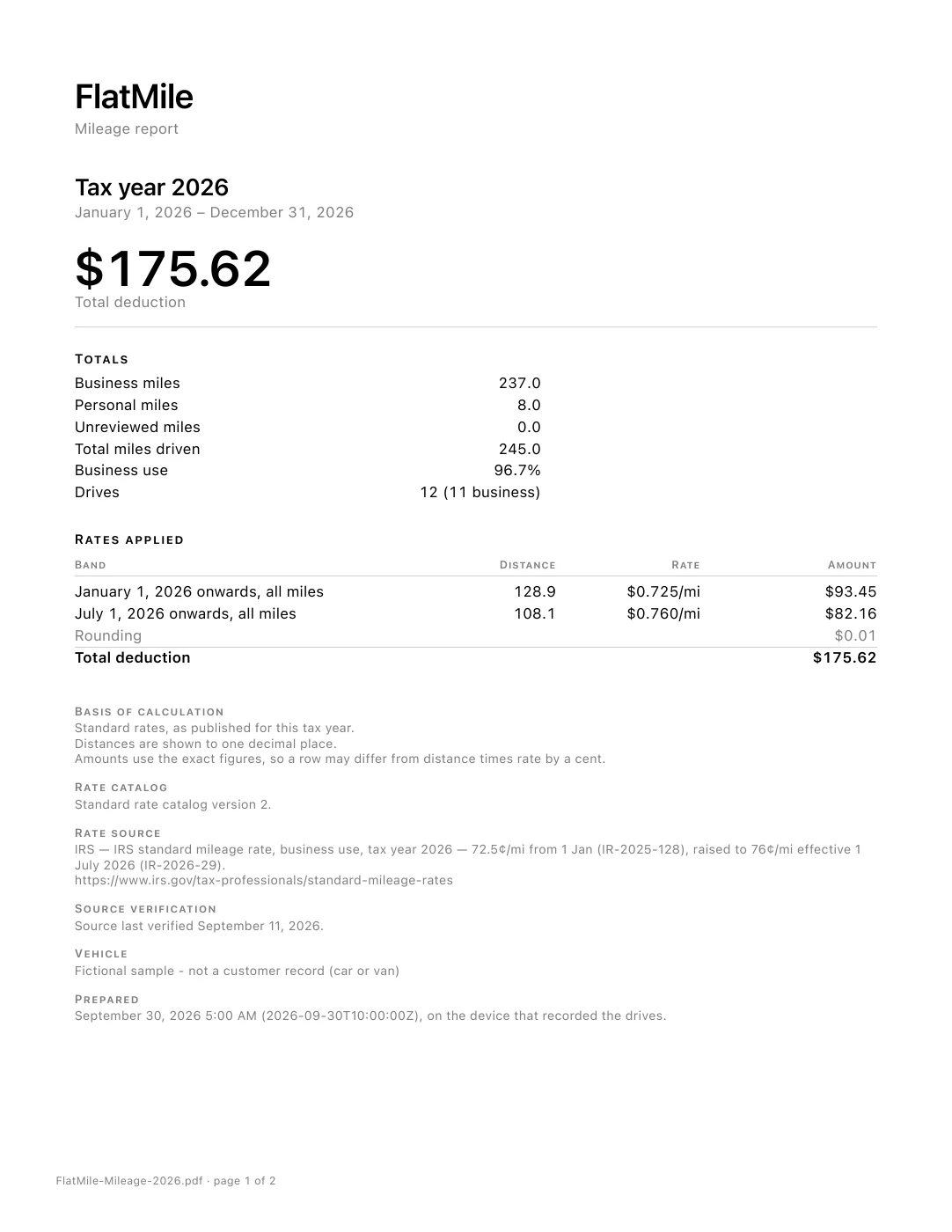
This is a mileage record, not a tax-authority approval or a guarantee that a particular expense qualifies.
Read the matching CSV
The record column tells you what each row contains. Filter to trip to inspect individual drives. Keep an unchanged copy of the complete file so the summaries and notes remain available.
- trip — one listed drive, including its date, times, starting point, destination, purpose, classification and distance.
- band — a calculation-summary row. This sample also has a row labelled “Rounding” that reconciles the summary with the individual drive amounts.
- total — a labelled report total, such as business, personal or total miles.
- note — context such as the reporting period, vehicle label, sources and generation date.
The sample’s distance_mi and cumulative_business_mi columns are in miles; amount_usd is in US dollars. Read those headers before comparing files. A row’s reference identifies a trip or labels a summary or note row, so not every CSV row represents a journey.
Why the sample totals reconcile
The report rounds each drive’s amount once. The fictional sample totals $175.62; the cover shows a $0.01 rounding adjustment so the summary reconciles with the individual rows. A calculated deduction amount is not cash saved.
The blank mileage log template is a separate manual-entry resource. Use FlatMile reporting help for the app’s export options.
Start keeping your own mileage record.
Automatic logging and manual logging are free, with no trip caps. A subscription unlocks every drive’s distance, route and mileage value, plus PDF and CSV reports. Eligible new subscribers can try it free for 14 days; terms appear in the App Store.